Unkey SDK Code Preview
Two SDK code touchpoints — on the empty API page and inside the Create Key modal — that tell developers 'you're ready to integrate' instead of leaving them guessing.
Unkey is a developer platform — its users think in code, not forms. Surfacing SDK snippets in the dashboard is better UX and better DX. But the original flow had neither: after creating a new API, the empty state is just a blank table, and the Create Key modal is a form with no context.
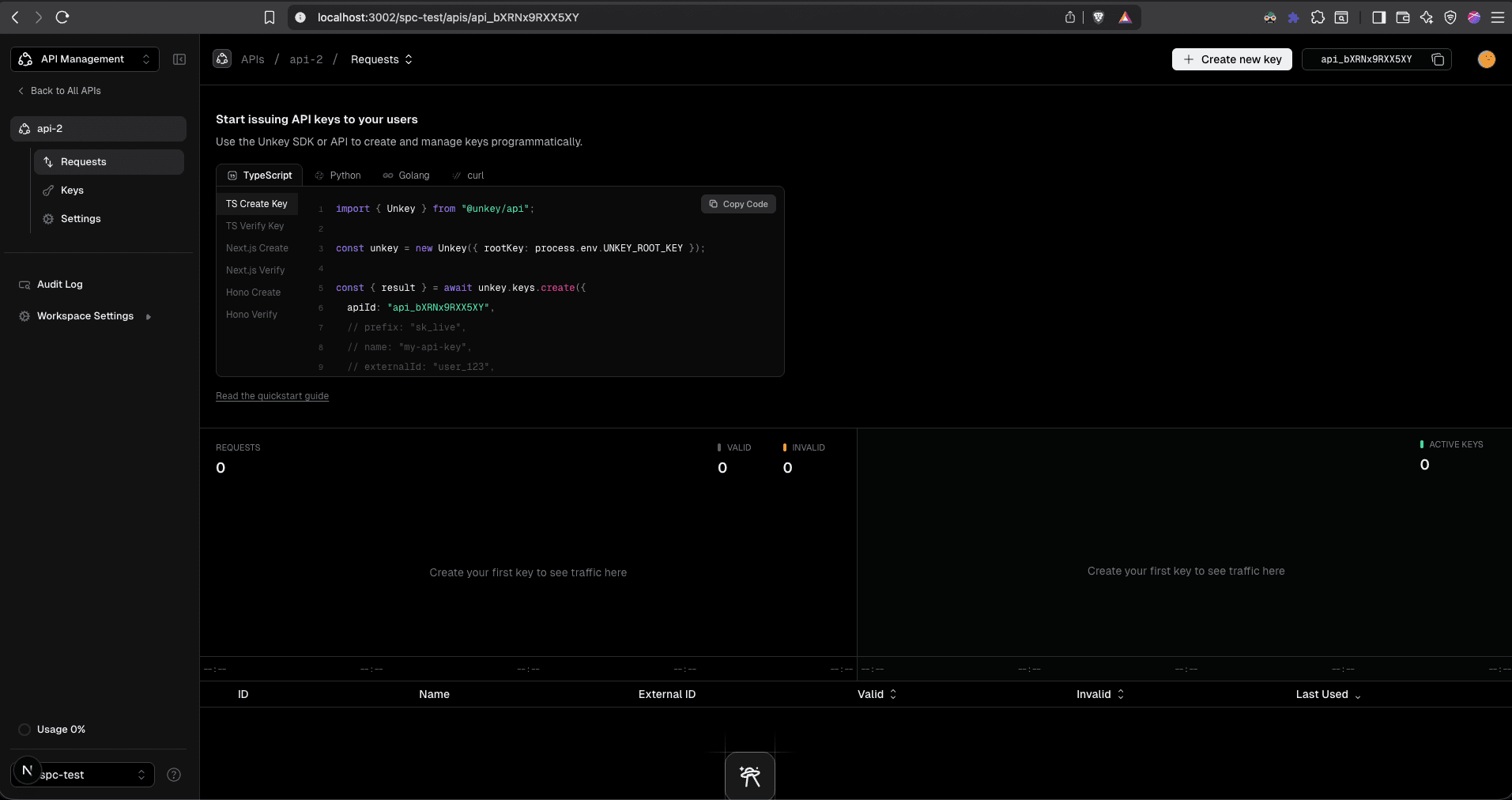
- -No 'you're ready' moment: You create an API and land on an empty keys table. There's nothing telling you that you can now start issuing keys from your app using the SDK.
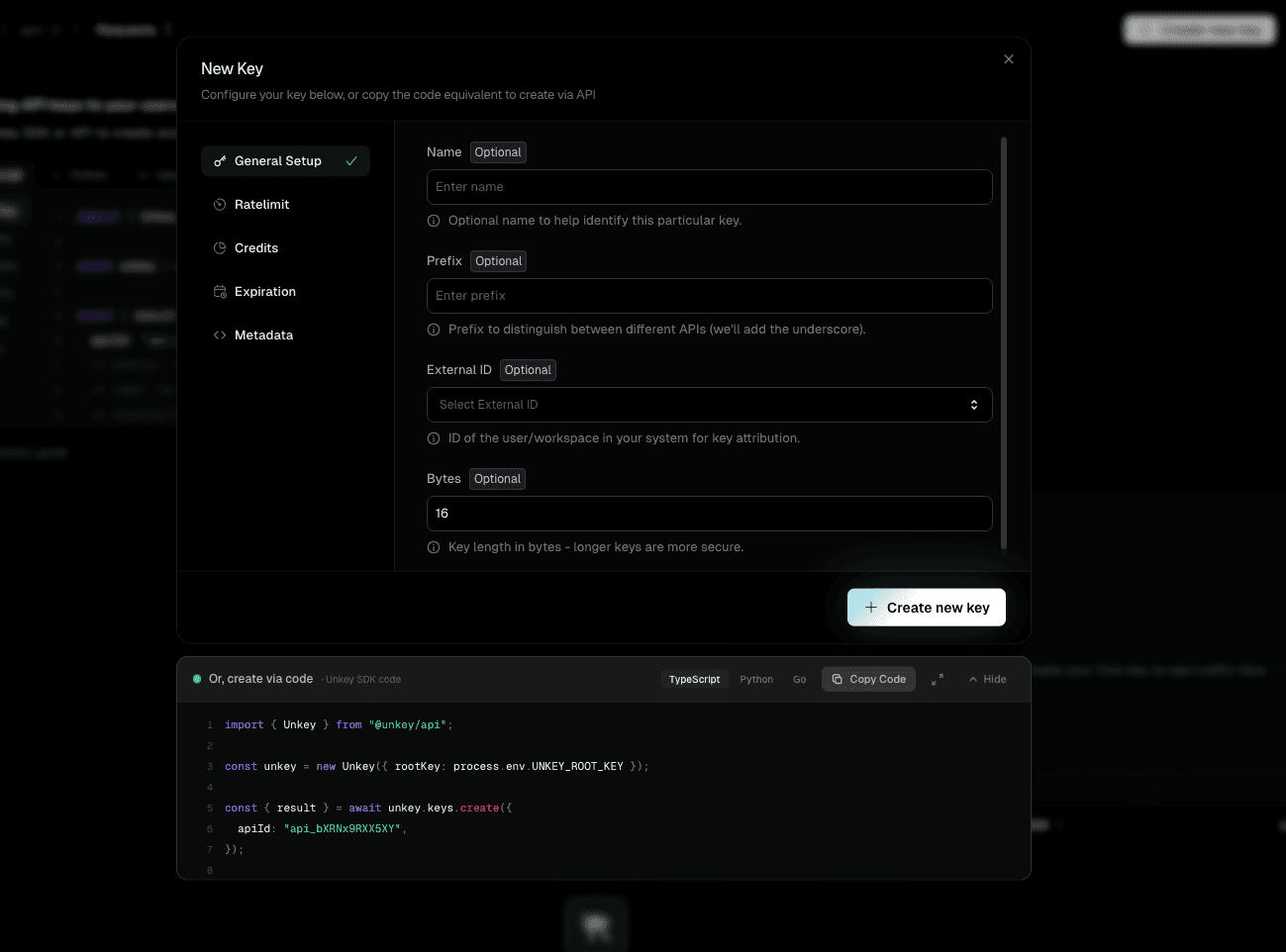
- -The modal feels like a dead end: You create a key through the form, see the secret once, and close. No code, no next step — you have to leave the dashboard and find the docs to figure out integration.
- -Two paths, no signposting: Unkey lets you create keys through the UI or programmatically via the SDK. But the dashboard only shows the UI path — the SDK path is completely invisible unless you already know about it.
API page — empty state
Create Key modal
Portal-based side panel
Radix DismissableLayer closed the dialog every time the user clicked inside the side panel. The portal puts the panel outside the dialog's DOM tree, so Radix treats clicks on it as 'outside' clicks.
Bottom drawer inside the modal
Covered the form fields when expanded. Users had to constantly toggle it open and closed to see both the form and the code — defeating the purpose of a live preview.
Two code preview surfaces that meet developers where they are. On the API page, an empty state shows SDK snippets across TypeScript, Python, Go, and curl — with both create and verify examples — signaling 'you can start integrating now.' Inside the Create Key modal, a live code panel updates as you fill the form, showing the exact SDK call for your configuration.
The empty state replaces a blank table with a tabbed code block showing create and verify snippets for every supported SDK (TypeScript, Python, Golang, curl) plus framework-specific examples (Next.js, Hono). It uses your actual API ID in the code, so it's copy-paste ready. The heading — 'Start issuing API keys to your users' — is the 'you're ready' signal the original flow was missing. Inside the modal, the live preview keeps that momentum going: as you configure rate limits, expiry, or metadata, the SDK snippet updates in real time with four feedback signals so you always know the code reflects your settings.