Code Panel Feedback
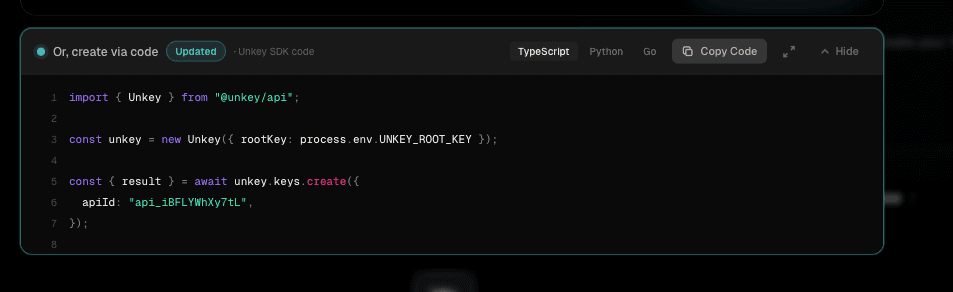
The live code preview updates as you fill the form, but only the first few lines are visible due to its position in the layout. Added small visual signals so users know the code is keeping up — and are reminded they can use it directly instead of going through the form every time.
The code preview panel sits below the form. On most screen heights, only the first few lines of the snippet are visible. When you edit a field, the code updates silently with nothing to indicate it happened.
- -Panel is partially hidden: Only the top of the code snippet is in view for most users. Updates to the lower lines go completely unnoticed.
- -Silent updates break trust: If there is no visible reaction to a form change, users assume the code is not connected to what they are doing.
- -The dev path goes unnoticed: Unkey is a developer-first platform. The code snippet is copy-paste ready — users do not need to create keys through the UI at all. But without any signal drawing attention to the panel, most users never consider it.
Code panel feedback
Single 'Updated' text label
Too subtle. A small text change is easily missed when the user's focus is on the form field they are actively editing.
A pulsing cyan dot near the panel header, a brief 'Updated' badge on change, a field count, and a border glow. Each works at a different distance from the form.
The dot is persistent and catches peripheral vision. The badge pops in for 1.5 seconds after a change. The field count gives a sense of progress. The border glow creates a brief flash visible even from the top of the form. None of these are loud — they are meant to reassure, not interrupt, and to keep the code panel in the user's awareness throughout the form-filling flow.